Baby Puzzle Games for Toddlers
Bebi Family: preschool learning games for kidsEducational
4.75.37K Reviews
- Version
- 15.01.14
- Installs
- 10.00M
- Age Rating
- Everyone
Screenshots
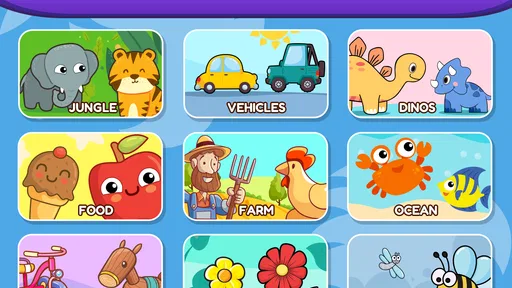
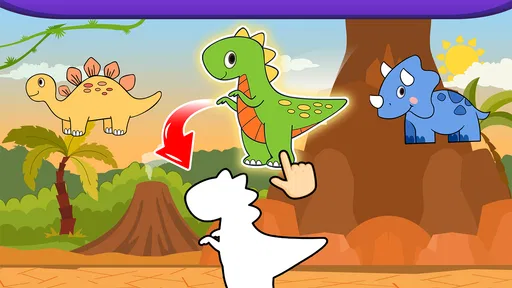
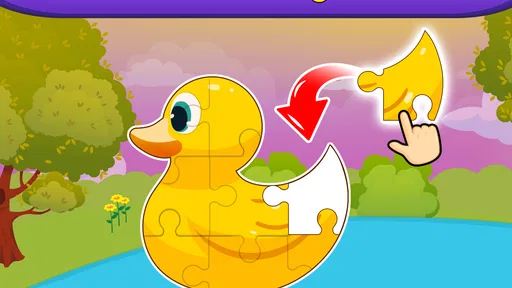
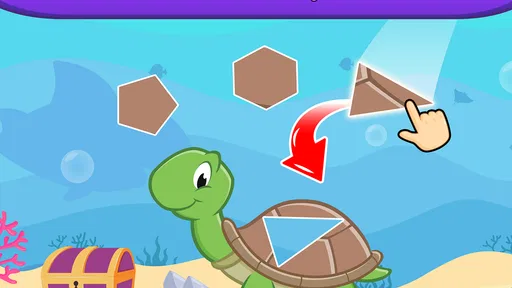
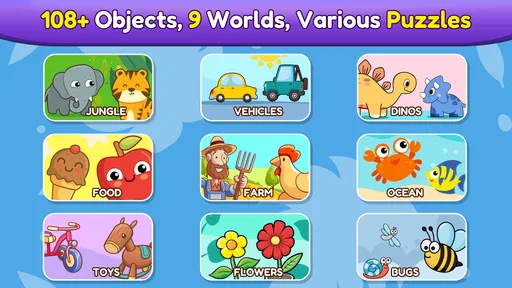
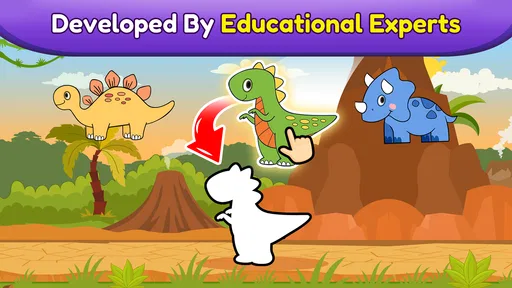
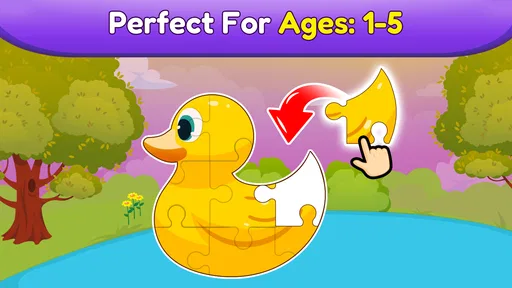
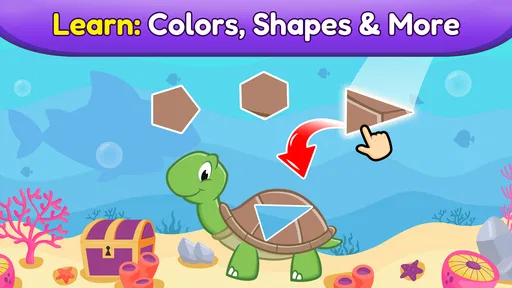
Our Review of Baby Puzzle Games for Toddlers
 Analysis by Appyee
When I look for a first puzzle game for a young child, I want something that feels simple enough to use without constant adult rescue, but still gives the child a reason to think before tapping. Baby Puzzle Games for Toddlers focuses on that exact space. It is an educational game from Bebi Family: preschool learning games for kids, built around a large collection of jigsaw-style activities for children in the pre-kindergarten years.
I spent time treating it less like a quick distraction and more like a small learning tool. The strongest part is not that it contains many puzzles; it is the way the puzzle format turns matching, position, and visual recognition into a short activity a child can repeat. That makes it particularly suitable for quiet play, travel, or a few minutes of independent practice. The real value is the gentle transition from random tapping to deliberate placement.
Why the puzzle format works so well for early learners
The central capability is the collection of more than one hundred jigsaw puzzle games aimed at children aged two through five. That age range covers a wide spread of abilities, so the experience is most useful when parents treat it as a flexible activity rather than a fixed lesson. A two-year-old may mainly explore shapes and positions, while an older preschooler can approach the same kind of task with more patience and visual planning.
Jigsaw play is a good fit for this stage because it offers a clear goal without demanding reading. A child can inspect an image, notice an empty space, and try to decide where a piece belongs. That process quietly practices visual discrimination, hand-eye coordination, and persistence. It also gives the child an immediate sense of completion when the picture comes together.
I like this approach more than a game that simply rewards every tap. With a puzzle, the child has to make a small decision. Even when the decision is easy, it creates a useful pause between seeing something and responding. That pause is where the educational benefit lives. The game does not need to feel like a worksheet to encourage concentration.
The store summary describes the collection as ads-free, which matters for this particular audience. Young children are easily pulled away by unrelated banners or interruptions, and parents understandably do not want a preschool activity to become a route into distracting content. The ads-free positioning helps the game feel more focused during use, especially when a child is playing without an adult sitting beside them.
That does not mean every family will experience it in exactly the same way. The game is free to download, while optional in-app purchases range from $1.99 to $4.99 per item. I would check the purchase settings before handing a device to a child, even though the main appeal is that the child can begin without paying. A free starting point is helpful, but adults should still manage purchasing on a shared phone or tablet.
What a child is actually practicing
The obvious skill is placing puzzle pieces, but the less obvious skill is learning to look at the whole before acting. Children often begin by testing a piece in the nearest available space. Over time, a well-designed puzzle routine can encourage them to compare outlines, colors, and image fragments before making a move. I found that this is more valuable than simply finishing quickly.
There is also a useful emotional lesson in the small mistakes. A piece that does not belong immediately shows the child that trying again is part of the activity. For a preschooler who becomes frustrated with open-ended drawing or unfamiliar games, the limited puzzle goal can feel manageable. The child knows what “finished” looks like, which makes persistence easier to understand.
Parents can strengthen that benefit by asking questions instead of taking over. Rather than pointing to the correct location, I would ask, “What color do you see on that piece?” or “Which space has the same shape?” Those prompts turn passive play into a short conversation about observation. They also reveal whether the child is struggling with recognition, finger control, or simply losing interest.
How the game feels during everyday use
The best way to introduce it is in a calm setting with the device positioned so the child can see the full puzzle area. I would avoid beginning when the child is already tired or impatient. The activities are designed for short attention spans, but that does not mean they work equally well during every mood. A child who is hungry or overstimulated may tap rapidly and miss the point of the exercise.
In practice, the game suits a simple routine: choose a puzzle, let the child inspect it, and give them time to try independently. If they ask for help, offer a clue rather than placing the piece for them. Once the picture is complete, moving to another activity is often better than turning the session into a long test of endurance.
One useful technique is to let the child explain the picture after finishing. Asking what they made, which piece was difficult, or what they noticed first adds language practice without changing the game. This is especially helpful for children who enjoy visual activities but need encouragement to describe what they see.
The collection format also makes the app easier to revisit than a single puzzle. A child can return to familiar activities for confidence, then try something less comfortable when ready. Repetition is not necessarily a weakness here. For early learners, repeating a task can help develop control and recognition, provided the child still finds it enjoyable.
I would not expect the game to replace hands-on puzzles. Physical pieces provide texture, spatial manipulation, and a different kind of coordination. The digital version is better understood as a convenient companion: it is available when a physical board is impractical, when traveling, or when a parent wants a contained activity on a device already in use.
A realistic use case for families
Imagine a parent preparing dinner while a preschooler needs a quiet activity nearby. The child can work through a puzzle while the adult remains within hearing distance. If the child becomes stuck, the parent can offer a verbal hint without abandoning the task at hand. This is not a substitute for supervision, but it is more practical than setting out several small physical pieces near a busy kitchen.
The same pattern works during a waiting period, such as a quiet moment before leaving the house. Because the activity is based on visual matching rather than reading instructions, a child can begin with limited help. I would still start with the child once or twice so they understand how to interact with the pieces and what to do when a placement is not correct.
For travel, the main advantage is containment. A physical puzzle can lose pieces, while a digital activity keeps everything on the screen. That convenience is meaningful for parents, although it comes with the usual screen-time consideration: the game is useful as a short planned activity, not as an automatic answer to every moment of boredom.
Helping different ages use the same collection
A two-year-old may need more demonstration and may enjoy the sensory satisfaction of moving pieces more than the completed image. I would keep the language simple and celebrate attempts rather than accuracy. At this age, the adult’s role is often to model looking carefully and waiting.
By three or four, many children can begin making their own comparisons. This is a good point to reduce direct help and use questions that guide attention. Instead of saying where a piece goes, ask the child to find a matching color or edge. The goal is to make the child feel that the solution came from their own observation.
A five-year-old may find the easiest activities too familiar, but the collection can still work as a warm-up or a confidence-building break. Older preschoolers may benefit more when they are encouraged to describe their strategy or complete a puzzle without rushing. If a child wants a complex challenge, a physical jigsaw with many pieces may be a better next step.
Where it succeeds and where it falls short
The clearest strength is accessibility. The game is rated Everyone, has a minimum operating-system requirement of Android 6.0, and is aimed at a developmental stage where reading-heavy interfaces can be a barrier. The basic idea is immediately understandable: inspect the picture and place pieces. That makes it a sensible first digital puzzle experience for many preschoolers.
Its popularity also suggests that the format has reached a broad audience. It has more than ten million installs, with an average rating of 4.7 from around forty-three thousand ratings and roughly five thousand four hundred written reviews. I do not treat popularity as proof that every child will enjoy it, but it does make the app easier to consider as an established option rather than an unknown experiment.
The developer, Bebi Family: preschool learning games for kids, clearly concentrates on early-childhood learning. That focus helps the app stay aligned with the needs of young children instead of trying to serve older players with unrelated complexity. It also means adults should judge it as a preschool activity, not as a serious puzzle challenge for school-age children.
The main limitation is the ceiling of the format. Repeated jigsaw tasks can become predictable for a child who already handles physical puzzles confidently. The collection offers breadth, but variety in pictures is not the same as a deep progression in reasoning. If your child wants logic problems, storytelling, number practice, or open-ended creativity, this game will not cover all of those needs.
Another trade-off is the device itself. A touchscreen makes moving pieces convenient, but it can also encourage quick swipes rather than careful handling. Some children will rush simply because the screen responds instantly. I would slow the experience down with conversation and occasional breaks, especially if the child starts tapping without looking.
The free model is approachable, but optional purchases require adult attention. The price range of $1.99 to $4.99 per item is not unusual for a children’s app, yet it still matters in a household where a child can access the purchase screen. I recommend deciding in advance whether you want to pay for anything and keeping the child’s play session separate from purchase decisions.
It is also worth remembering that “ads-free” does not automatically mean “hands-off.” A young child may still need help understanding navigation, choosing an appropriate activity, and stopping when they have had enough. The absence of advertising removes one common distraction, but it does not replace parental judgment about screen habits.
How it compares with familiar alternatives
Compared with a traditional wooden or cardboard jigsaw, this game wins on portability and cleanup. Nothing can be misplaced, and a child can use it in a small space. The physical alternative wins on tactile feedback and the broader movement involved in picking up, rotating, and fitting real pieces. I would use both rather than treating one as a complete replacement for the other.
Compared with general preschool learning apps, this one is narrower and therefore easier to understand. A broad educational app may offer letters, numbers, music, drawing, and stories in one place, but that variety can make it harder to keep a child focused. Here, the repeated puzzle structure is a benefit when the immediate goal is visual matching and patient problem-solving.
On the other hand, a broader app is the better choice if you want one download to support several learning areas. This game should not be selected simply because it is labeled educational. Its strongest use is specific: giving a young child repeated practice with digital jigsaw tasks in a contained, approachable format.
Who will get the most from it
I would recommend it most strongly to parents of toddlers and preschoolers who are beginning to explore puzzles, especially children who enjoy pictures but are not ready for reading-based games. It is also useful for families who want a calm activity that can be introduced in short sessions and revisited without setting up physical materials each time.
Children who become discouraged easily may appreciate the clear boundaries of the puzzles. There is one visible task, a recognizable finished picture, and room to try again. Parents can make the experience more productive by resisting the urge to solve every difficult placement. A small hint often teaches more than immediate correction.
It is less suitable for a child who already wants advanced puzzles, competitive goals, or elaborate narratives. It is also not the best choice for parents looking for structured lessons in phonics, counting, or handwriting. In those cases, a specialized learning app or hands-on activity will provide a closer match.
The release date was September 11, 2020, and the current version is 15.01.14. Those details are useful when checking compatibility or deciding whether an older device can run it. Since the minimum requirement is Android 6.0, families using a much older phone or tablet should check the device before planning around the game.
My overall impression is favorable, with a clear qualification: this is a focused puzzle tool, not an all-purpose preschool curriculum. I like the way it turns a familiar play pattern into small exercises in looking, matching, and persisting. I also appreciate that the ads-free presentation keeps the attention on the child’s task.
If you approach it as a short, guided activity rather than unlimited background entertainment, it makes sense as a free starting point. Let your child explore, ask occasional questions, and balance screen puzzles with physical play. For the right age and temperament, Baby Puzzle Games for Toddlers offers a straightforward way to practice early problem-solving without making the experience feel like formal study.
Verdict
Strengths of Baby Puzzle Games for Toddlers
- Simple controls are easy for toddlers to understand.
- Colorful visuals help keep young children engaged.
- Puzzles support basic matching and problem-solving skills.
- Short activities suit children with limited attention spans.
- Works well for quiet play at home or while traveling.
Limitations of Baby Puzzle Games for Toddlers
- Some puzzles may become repetitive after extended play.
- Limited challenge for older preschoolers or advanced learners.
- Bright sounds and animations can be distracting for some children.
- May require adult help when navigating menus or settings.
- In-app ads or purchases may vary by device and version.
Other Releases by Bebi Family: preschool learning games for kids
View All
Baby Games for 1-3 Year Olds
Educational4.5

Bebi: Baby Games for 2-4y kids
Educational4.6

ABC Games: Phonics & Tracing
Educational4.7

Coloring games for kids: 2-5 y
Educational4.3
Similar Picks in This Category
View All
Little Panda Policeman
BabyBus4.0

Monster Trucks Game for Kids 2
Raz Games4.1

Little Panda's Chinese Recipes
BabyBus4.4

Little Panda's Restaurant
BabyBus4.4

Little Panda's Ice Cream Games
BabyBus4.3

Baby Panda Care
BabyBus3.8
Frequently Asked Questions
What is Baby Puzzle Games for Toddlers?
Baby Puzzle Games for Toddlers is a collection of simple, colorful educational puzzles designed for young children. The activities generally focus on matching shapes, animals, objects, and familiar pictures. During testing, the game felt easy to understand because it uses large touch areas, friendly illustrations, and straightforward interactions rather than complicated menus or difficult instructions. It is intended mainly for toddlers and preschool-age children who are beginning to explore puzzles independently.
What age group is Baby Puzzle Games for Toddlers suitable for?
The game is best suited to toddlers and preschoolers, although the ideal age can vary depending on a child’s development and experience with touchscreen devices. Younger children may need help learning how to drag or place pieces correctly, while older preschoolers may complete the easier puzzles quickly. Parents should choose activities that match the child’s abilities and remain nearby, especially during the first sessions.
Does the game require an internet connection to play?
Many of the basic puzzles can usually be played without a continuous internet connection once the application has been installed, which makes it useful for travel or quiet time away from Wi-Fi. However, some versions may need internet access for advertisements, updates, analytics, or optional content. It is a good idea to open the app once while connected and check which features remain available offline before giving it to a child.
Is Baby Puzzle Games for Toddlers safe for children?
The game is designed with child-friendly visuals and simple gameplay, but parents should still review the app’s advertising, purchase, and privacy settings before use. Depending on the version, advertisements or links to other content may appear, and accidental taps can sometimes lead away from the game. Using parental controls, disabling in-app purchases, and supervising younger children can provide a safer and more controlled experience.
Does Baby Puzzle Games for Toddlers contain ads or in-app purchases?
The availability of advertisements and optional purchases depends on the specific version downloaded from Google Play or the App Store. Some editions may be free with advertising, while others can offer extra puzzle packs or an ad-free upgrade. Before downloading, parents should read the store listing and check the purchase details. If the app is used by a child, parental approval and device purchase restrictions are strongly recommended.
Play our best games!


